// BROWSER EXTENSION
7Net Hangar Link
Copies your own RSI hangar to My Hangar on 7Net. No file to export, no upload. One click on your RSI hangar page.
// HOW IT WORKS
01
Add it to Chrome
Install from the Chrome Web Store. It asks for two sites only: RSI and 7Net.
02
Open your RSI hangar
A small 7Net panel appears at the left edge of My Hangar on RSI. Be signed in on 7Net in the same browser.
03
Sync now, then confirm
It reads your pledges, shows what will change on 7Net, and saves only when you confirm.
WHAT IT READS
- Your RSI handle
- Ships, packs and what is in them
- Extra components, paints, armor, weapons, flair
- Pledge name and date
WHAT IT NEVER READS
- Prices, pledge value, melt value, store credit, billing
- Your password, cookies or sign-in tokens
- Anything outside your RSI hangar pages
WHAT IT NEVER DOES
- Never melts, gifts or buys on RSI. It only reads
- Never touches your loadouts on 7Net
- Sends data to www.7hills.space only
// SCREENS
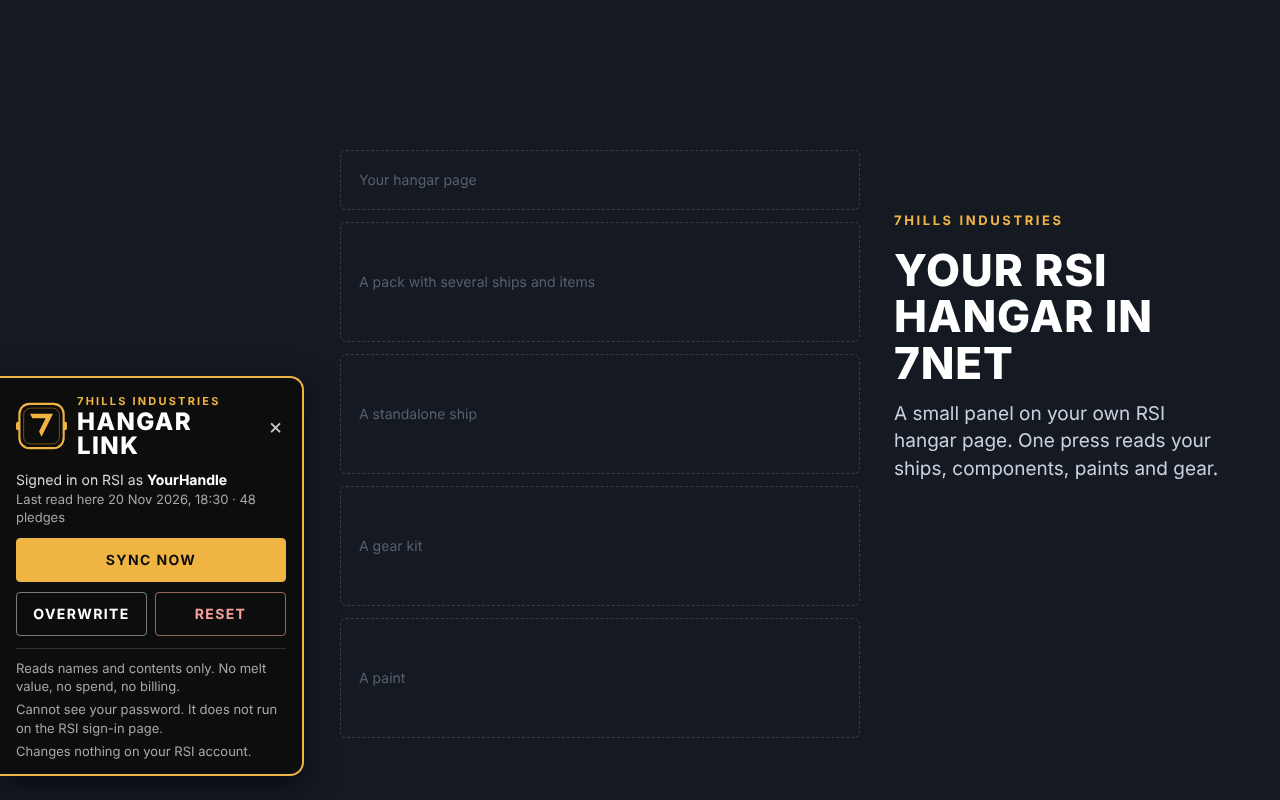
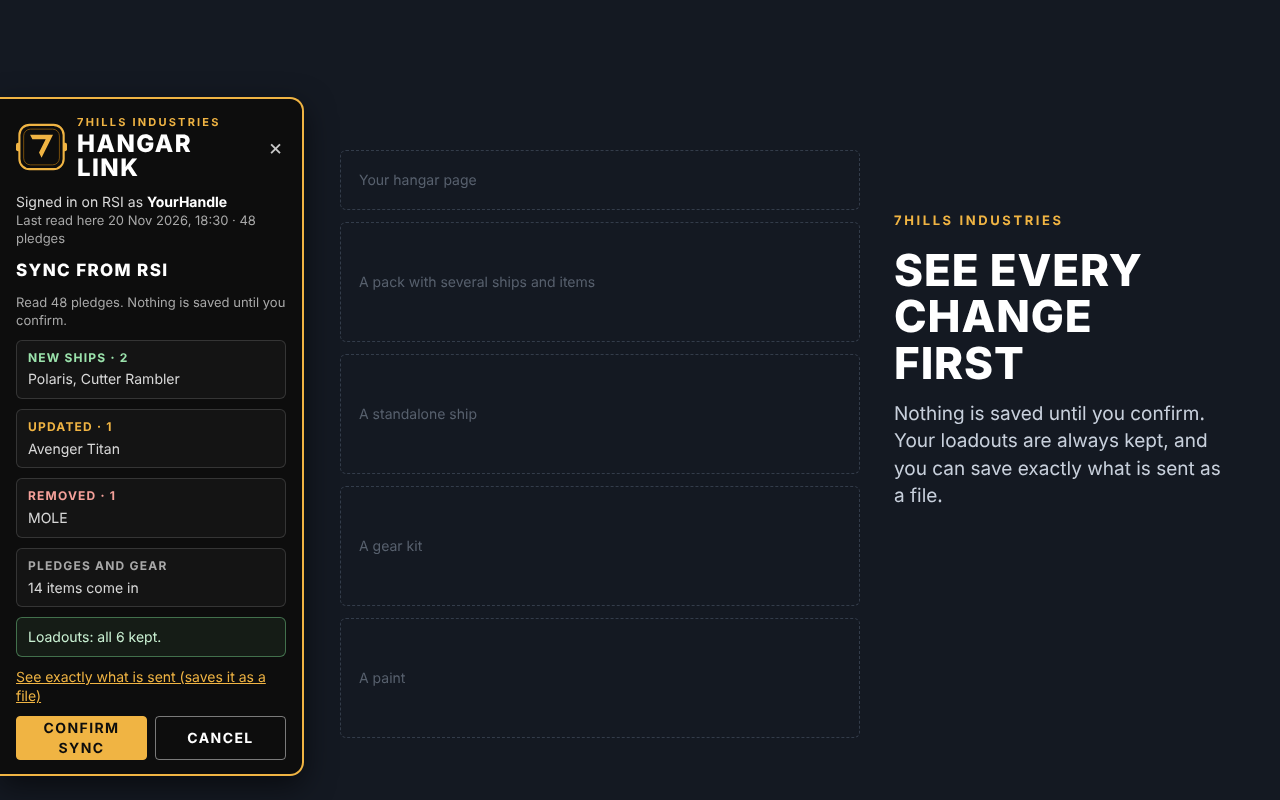
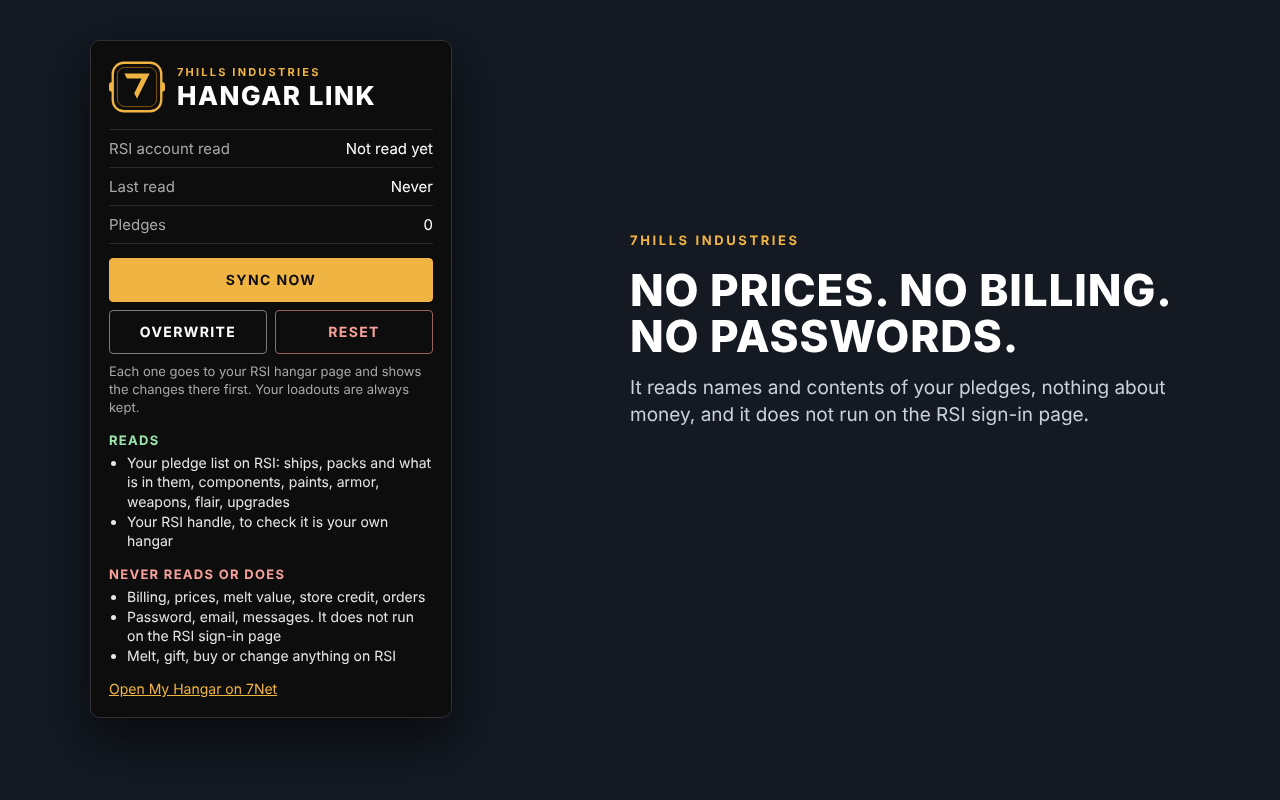
Illustrations with example data.
// QUESTIONS
- Sync, Overwrite, Reset: what is the difference?
- Sync adds and updates. Overwrite makes 7Net match RSI exactly. Reset empties My Hangar on 7Net. Nothing ever changes on RSI.
- Can I see what is sent?
- "See exactly what is sent" saves it as a file before you confirm, so you can read it yourself.
- Who sees my hangar?
- You choose under Privacy in your profile. Components, pledges and gear are hidden until you turn them on.
Unofficial fan-made tool. Not affiliated with or endorsed by Cloud Imperium Games or Roberts Space Industries. Data privacy · Open My Hangar